
Screenshots
App details
- Updated
- Jun 8, 2004
- Language
- English
- Developer
- TranslationBooth
- Category
- Mobile
SoftPas in:
This product is also available in the following languages:
About Instant Translation Translator
Download Instant Translation Translator – free translation, multilingual, instant translation, text translator, language tool
Overview
Instant Translation Translator is a compact, free productivity tool designed to deliver rapid text translation across multiple languages. Developed by Jason K. Menard and first released in 2004, the app has maintained relevance through its lightweight design and straightforward functionality. Despite its age, the application continues to serve users who need quick, no-frills translation without the overhead of large software installations. Its primary purpose is to assist individuals in translating written content in real time, making it particularly useful for travelers, language learners, and professionals who frequently interact with multilingual documents.
The app operates entirely through an internet connection, ensuring access to up-to-date translation models and vocabulary. This dependency on connectivity means users must remain online to utilize the service, though it guarantees that translations reflect current linguistic usage. The target audience includes anyone seeking a simple, immediate solution for text-based translation without the complexity of full-featured language apps. In the broader productivity ecosystem, Instant Translation Translator fills a niche for minimalism and efficiency—offering a focused tool that does one thing exceptionally well.
Although the developer did not provide additional technical details, the app’s long-standing presence suggests reliability and consistent performance. Real-world use cases include translating emails, website snippets, travel signage, or notes during international meetings. Its 1.4 MB file size underscores its commitment to efficiency, making it suitable for older devices or users with limited storage.
Key Features & Functionality
- Lightweight Design: At just 1.4 MB, the app occupies minimal storage space, making it ideal for users with constrained device capacity or those who prefer lightweight software.
- Multi-Language Support: The app supports English, French, German, Spanish, Italian, Portuguese, Russian, Japanese, and Korean, enabling communication across a wide range of global languages.
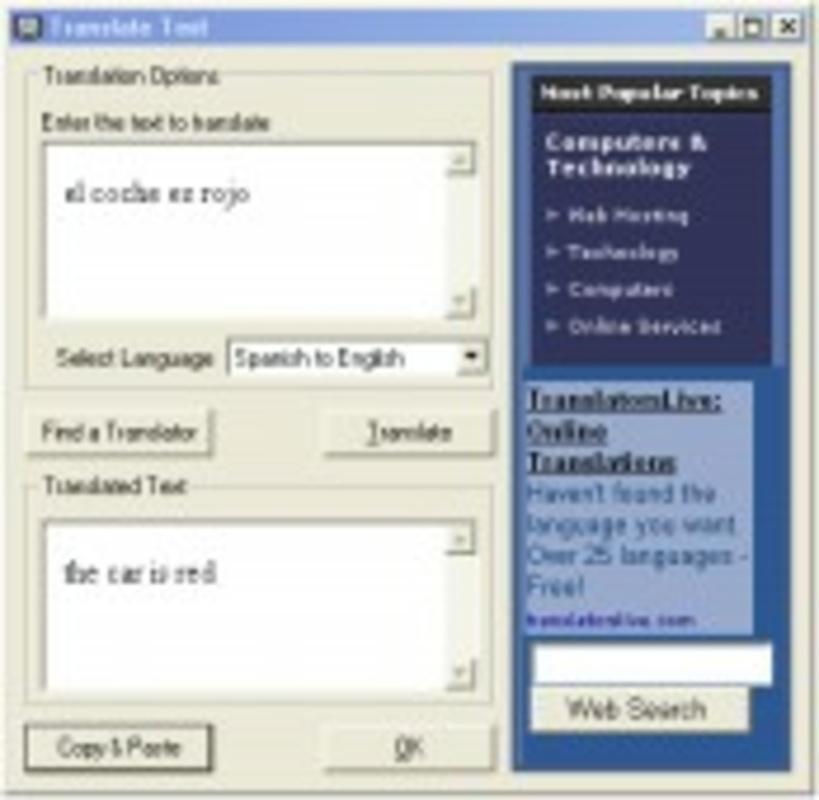
- Simple User Workflow: Users can initiate translation by double-clicking the taskbar icon, pasting text into a dialog box, and receiving results in seconds—ideal for rapid, on-the-go translations.
- Internet-Dependent Operation: Translation functionality requires an active internet connection, ensuring access to real-time data and updated language models.
- Zero Cost Access: The app is entirely free to use, with no subscriptions, in-app purchases, or hidden fees, offering full functionality without financial barriers.
For example, a traveler in Tokyo could quickly translate a menu or train schedule by copying text into the app and receiving an instant result. Similarly, a student studying Spanish might use it to verify the meaning of a paragraph from a textbook. The simplicity of the interface ensures that users of all technical levels can benefit without needing tutorials or training. The app’s focus on speed and ease of use makes it a practical choice for urgent translation needs, particularly in environments where time and efficiency are critical.
Interface, UX & Performance
The interface of Instant Translation Translator is minimalistic and designed for speed. It features a compact window with a central text input box and a clear output area, allowing users to focus solely on the translation task. The layout is consistent and intuitive, with no unnecessary elements or distractions. Navigation is streamlined—users simply open the app, paste text, and receive results, requiring minimal interaction steps.
Although the developer did not list formal performance metrics, the app’s lightweight nature suggests efficient memory usage and fast response times. It is likely optimized for low-resource environments, making it suitable for older or entry-level devices. The responsiveness of the app appears to be consistent with its design philosophy—fast, reliable, and predictable. Stability is implied by its long-standing availability since 2004, though specific crash reports or error logs were not disclosed.
Performance on different device categories remains unspecified, but the app’s small size and minimal resource demands indicate broad compatibility across systems. Users may experience smooth operation on both modern and legacy hardware. The lack of visual effects or animations further contributes to its efficient performance. Overall, the user experience prioritizes functionality over aesthetics, aligning with its core purpose as a utility tool.
Platform Compatibility & Technical Requirements
Instant Translation Translator is designed for the Windows platform. The current version is 2.0, with a file size of 1.4 MB. The developer did not specify minimum OS requirements, nor did they provide details about hardware specifications or compatibility with specific Windows versions.
Given the app’s release date of 2004 and its minimal footprint, it is likely compatible with older Windows systems, including Windows XP and later. However, compatibility with newer Windows 11 or Windows 10 environments has not been confirmed by the developer. Users should verify system compatibility before installation, especially if using updated operating systems.
Specific requirements were not listed, and no information was provided about installation dependencies or background processes. The app appears to function as a standalone executable, requiring no additional software to run. For users seeking a lightweight, portable translation solution, this lack of dependencies may be a significant advantage.
Pros and Cons
Pros
- Extremely small file size (1.4 MB), ideal for low-storage devices.
- Free to use with no hidden costs or subscriptions.
- Supports a diverse set of languages, including major global languages.
- Simple, fast workflow suitable for quick translations.
- Operates via internet connection, ensuring up-to-date translations.
Cons
- Requires an internet connection to function, limiting offline use.
- Platform is limited to Windows; no information about Android or iOS availability.
- Developer did not provide detailed technical specifications or compatibility notes.
- App has not been updated since 2004, raising concerns about long-term support.
- No visible support for voice input, image scanning, or advanced translation features.
FAQ
Is Instant Translation Translator safe to download and install?
Yes, the app is free and does not require registration. However, users should ensure they download it from official or trusted sources to avoid modified versions.
Can I use Instant Translation Translator offline?
No, the app requires an active internet connection to perform translations. It cannot function without connectivity.
Is the app available for Android or iOS?
The developer did not specify availability on mobile platforms. The app is currently confirmed for Windows only.
Does the app support voice or image translation?
Based on available information, the app focuses solely on text translation. There is no indication of support for voice input or image-based translation.
How often is the app updated?
The last release was in 2004. The developer did not provide information on future updates or maintenance plans.
Final Thoughts
Instant Translation Translator remains a noteworthy example of a minimalist, efficient tool that delivers core functionality without compromise. Despite its age, its lightweight design and free access continue to make it a viable option for users who need fast, reliable text translation on Windows systems. While it lacks modern features like offline mode or mobile support, its simplicity and speed are still relevant in specific use cases.
For travelers, students, and professionals who frequently handle multilingual text, this app offers a no-frills solution that gets the job done. Its value lies in its ability to provide instant results with minimal setup. In a market saturated with complex, feature-heavy translation apps, Instant Translation Translator stands out for its focus and efficiency.
Download Instant Translation Translator now
Guides & Tutorials
How to install Instant Translation Translator
- Click the Download button above.
- Once redirected, accept the terms and click Install.
- Wait for the Instant Translation Translator download to finish on your device.
How to use Instant Translation Translator
This software is primarily used for its core features described above. Open the app after installation to explore its capabilities.
User Reviews
No reviews yet. Be the first to share your experience.
You may also like
more
Que no te pillen¡
About !Que no te pillen¡Reviewed by Jason A. BilbreyShow MoreShow Less

3D Combat Zone
About 3D Combat ZoneOriginally released in 1983, 3D Combat Zone immerses players...

666: El día del portal
About 666: El día del portalOn June 6, 2006, Agent P. Stone uncovers a sinister...

80 in 1 Best Flash games
About 80 in 1 Best Flash games 80 in 1 Best Flash games is a collection of 80 fl...

ABYSS SEEKERーーWhat Do You See Deep in The Abyss
About ABYSS SEEKERーーWhat Do You See Deep in The AbyssIn ABYSS SEEKER, players...

ACA NEOGEO THE KING OF FIGHTERS 2002 for Windows
About ACA NEOGEO THE KING OF FIGHTERS 2002 for WindowsTHE KING OF FIGHTERS 2002,...